Turn Your Blog Posts into Viral Videos Using AI (2026 Guide)
Blog to Video
5 Min Read

Today video content has emerged as the undisputed champion of engagement. While blog posts remain valuable for in-depth information, transforming that written content into compelling videos can dramatically extend your reach and impact. This comprehensive guide will walk you through the process of converting your blog posts into engaging videos using AI tools, making what once required professional video production skills accessible to everyone.

Why Transform Blog Posts into Videos?
The case for video does not need a dubious statistic behind it. Search results, social feeds and recommendation algorithms all surface video ahead of text, and a reader who will not get through 1,500 words will often watch ninety seconds.
A blog post is also the hardest part of a video already finished. The research is done, the argument is structured and the examples are chosen. Turning it into video is a distribution decision rather than a new piece of work.
That is the practical reason to do this: you are not creating more content, you are getting more out of the content you already have.
Preparing Your Blog Post for Video Transformation
Not all blog posts are created equal when it comes to video potential. When preparing your blog for video transformation, consider these practical steps:
Identify high-potential content: Blog posts with strong visual elements, step-by-step instructions, or compelling stories make excellent video candidates.
Create a segmented structure: Break your content into distinct sections that can become video chapters or segments. Segmented educational videos typically have better completion rates than unstructured content.
Highlight key points: Identify the most important takeaways that deserve visual emphasis in your video.
Develop a narrative flow: Adapt your written content into a conversational script that feels natural when spoken aloud.
Consider visual opportunities: Note places where charts, animations, or demonstrations could enhance understanding.
Choosing the Right AI Video Creation Tools
The AI video creation market has exploded in recent years with numerous solutions available for content creators of all skill levels.

Several platforms have emerged as leaders in the Blog-to-video transformation space:
Platform | Key features | Pricing model | Best for |
|---|---|---|---|
Blog, PDF, script or idea in. 20 visual styles, consistent characters, narration in 75 languages | Credits, with a free tier | Creators and marketers who want one look across every scene | |
Fliki | Text to video using stock media and AI voices | Subscription by minutes of output | Fast narrated video from text |
Pictory | Turns articles and long video into short captioned clips | Subscription tiers | Repurposing what you already published |
Lumen5 | Turns an article into text over stock footage, on a brand template | Subscription by seat | Marketing teams that must stay on brand |
When choosing, weigh what you need against how you want to pay. Adori AI has a free tier, so you can make a short video and judge the output before committing to anything.
Step-by-Step Video Creation Process
Let’s walk through the process of transforming a blog post into a video using Adori AI tools:
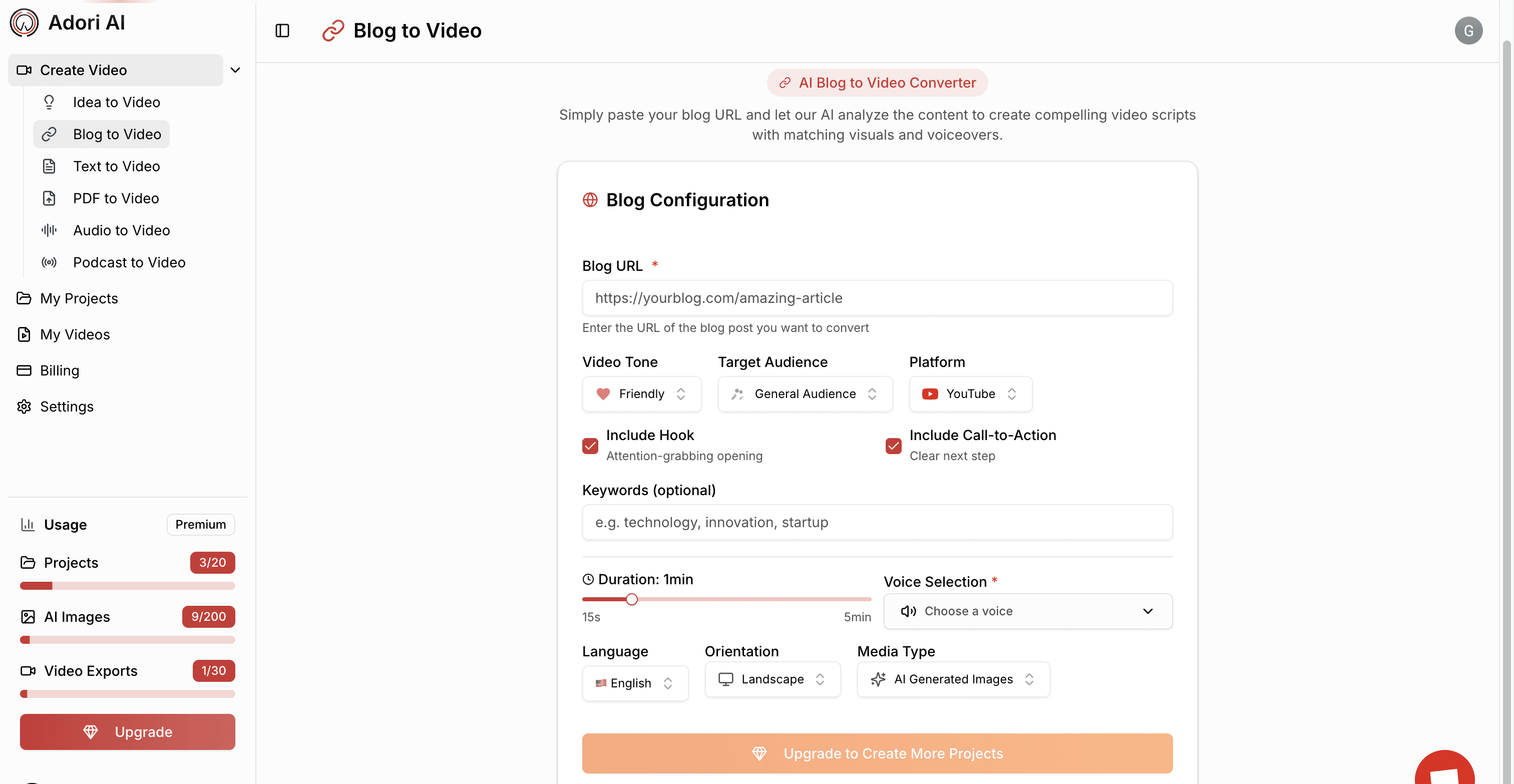
Import your content:
Most AI video platforms allow direct import of blog URLs or text pasting. The best platforms can automatically identify key points and create scene suggestions from your content.
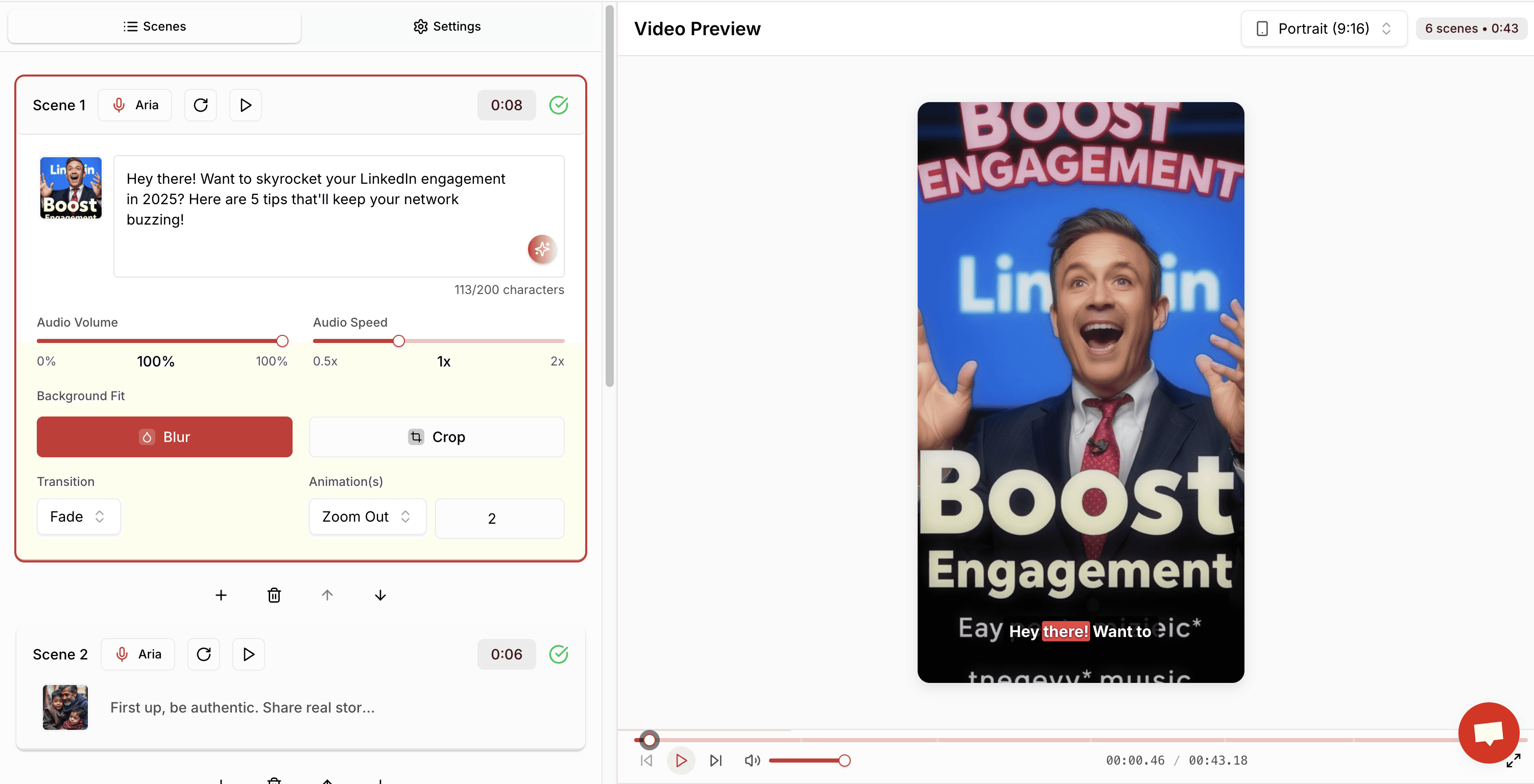
Select a template:
Choose a template that matches your brand aesthetic and content type. Consistent visual styling across content types increases brand recognition and professionalism.
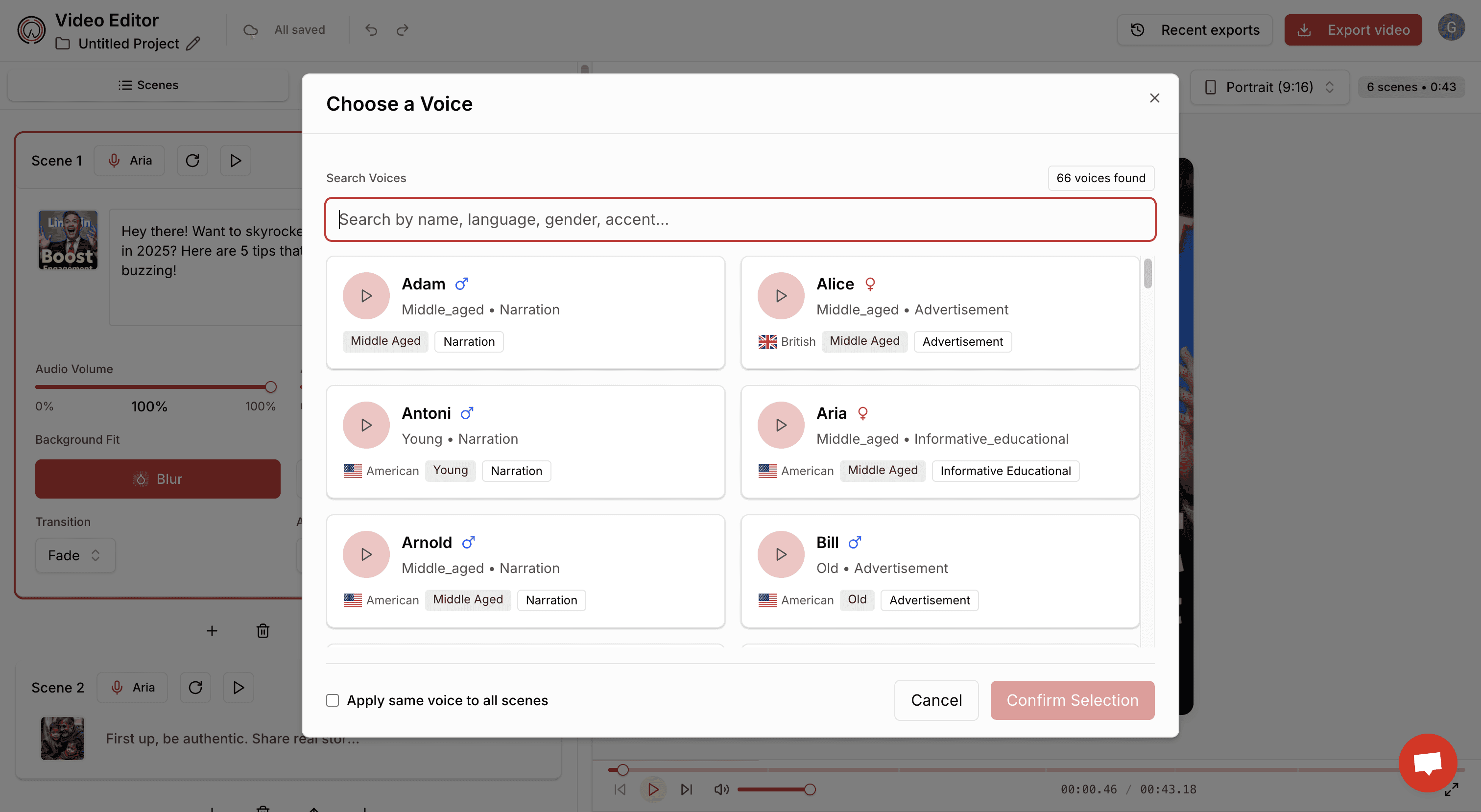
Add voiceover:
You can use AI-generated voices or upload your own recording. While human voiceovers add a personal touch, today’s AI voices offer impressive quality and natural intonation.
Incorporate visuals:
Add relevant stock footage, animations, or custom graphics. Videos with dynamic visual changes maintain viewer attention more effectively than static presentations.
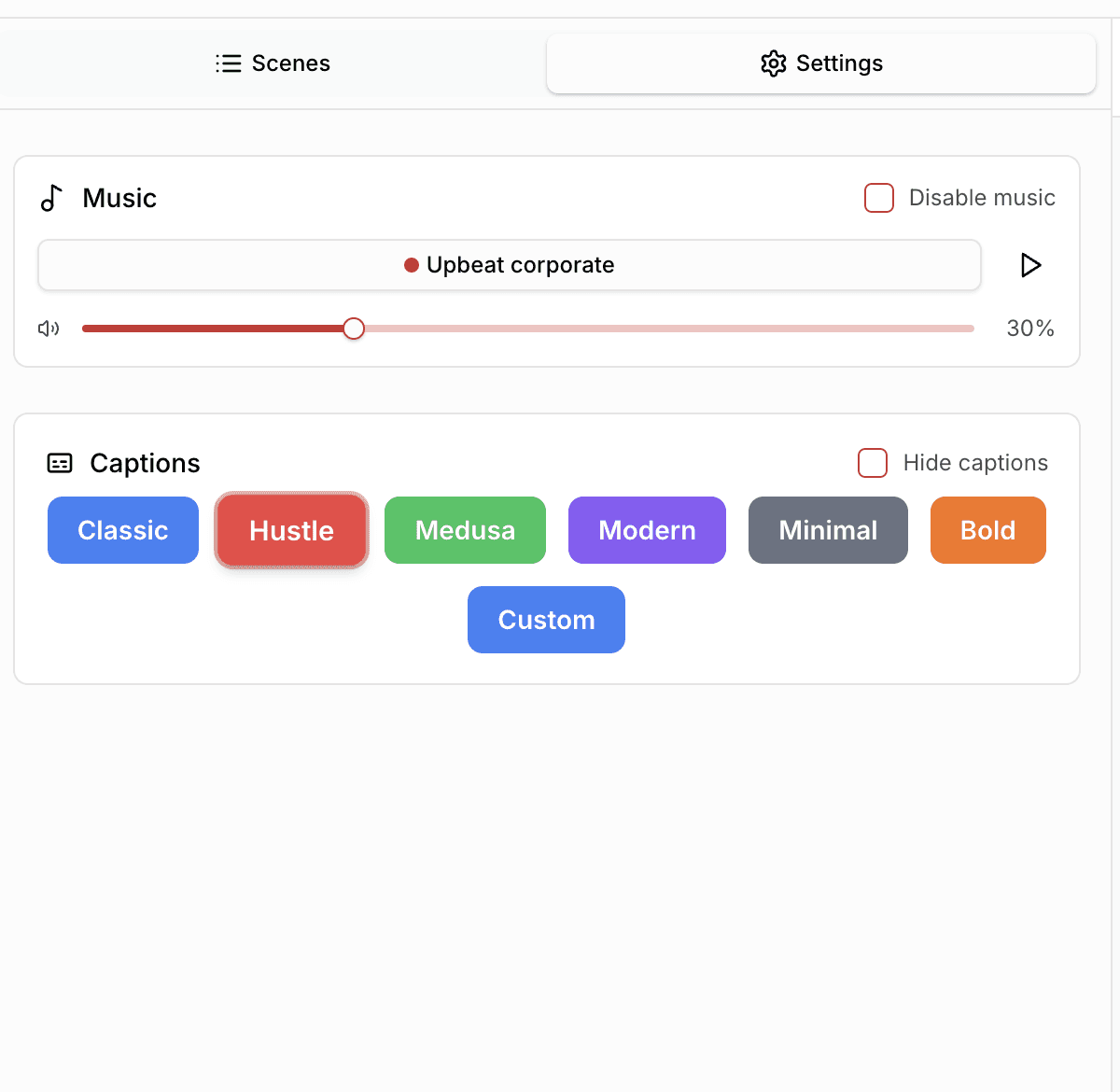
Add music and sound effects:
Appropriate background music can increase emotional connection with your content. Most platforms offer royalty-free music libraries.
Review and edit: Make necessary adjustments to timing, transitions, and visual elements.
Optimizing Your Videos for Maximum Engagement
Once you’ve created your video, optimization is key to maximizing engagement:
Video length: For most social platforms and marketing purposes, shorter videos perform better. Aim for 1-2 minutes when possible, though educational content may require more time.
Thumbnails: Custom thumbnails with human faces or clear text overlays tend to generate higher click-through rates. Avoid misleading thumbnails that don’t represent your actual content.
Captions: Always include captions for accessibility and to accommodate viewers watching without sound. Many platforms offer automatic caption generation.
Keywords: Include targeted keywords in your video title, description, and tags. This helps your content get discovered in search results.
Calls-to-action: Every video should include a clear next step for viewers, whether that’s subscribing to your channel, visiting your website, or downloading a resource.
Distribution Strategy for Your Video Content
Creating great videos is only half the battle – distributing them effectively is equally important:
Cross-platform approach: Share your videos across multiple platforms to maximize reach. Different platforms may require format adjustments (square for Instagram, vertical for TikTok, etc.).
Optimal posting times: Research the best times to post on each platform based on your audience’s typical online behavior.
Blog integration: Embed your videos in related blog posts to enhance the user experience and increase time on page.
Email inclusion: Including video thumbnails in email campaigns can significantly increase click-through rates.
Measuring Success and Iterating
For effective performance measurement, focus on these key metrics:
View count: Basic measurement of reach
Engagement rate: How long viewers watch (look for patterns where viewers drop off)
Conversion rate: Viewers who take desired actions
Social sharing rate: How often your videos are shared
Content creators should aim for continuous improvement through testing and iteration. Try different video lengths, styles, voice tones, and music to see what resonates best with your audience.
Advanced Tips for Power Users
For content creators looking to take their video transformation strategy to the next level:
Consistent branding: Maintain visual consistency across all your videos through intro/outro sequences, color schemes, and fonts.
Video series: Consider organizing related blog content into themed video series to encourage repeat viewership.
Batch processing: Create multiple videos in a single production session to improve efficiency and maintain consistent quality.
Multilingual versions: Expand your audience by creating versions of your videos in multiple languages.
Conclusion
Transforming blog posts into engaging videos represents one of the most effective content optimization strategies available today. With tools like Adori AI making the process increasingly accessible, content creators of all skill levels can leverage their existing written assets to capture the attention of video-first audiences.
By following the guidelines in this article and starting with your most promising blog content, you can significantly increase your content’s reach and impact. As AI video technology continues to evolve, the barriers to creating professional-quality video content will continue to fall, making now the perfect time to incorporate video into your content strategy.
Join our newsletter list
Sign up to get the most recent blog articles in your email every week.
Similar Topic


