How to Turn Blogs and Podcasts Into 20+ Videos Each Month
Blog to Video
6 Min Read

If you publish blog posts and podcast episodes every week, you already have a month of video content. It is just locked inside text and audio. Each post gets a few shares, each episode gets its regular listeners, and then both fade into the archive.
This guide shows a simple system that turns one blog post and one podcast episode a week into 20+ videos every month, without learning video editing or hiring an editor. Your podcast becomes full YouTube videos that bring in new listeners, and your blog posts become short videos for social feeds.

Why video is your growth engine
Discovery happens on video platforms. YouTube, Shorts, Reels and TikTok recommend content to people who have never heard of you. A blog post or an audio episode mostly reaches people who already follow you.
YouTube is now a podcast platform. YouTube reports more than 1 billion monthly podcast viewers, and Edison Research lists it as the most used platform for podcasts in the US.
One idea, many formats. The same insight can be a blog section, a podcast segment, a YouTube chapter and a 30 second clip.
Stop the one-and-done cycle
Most teams write a post, publish it and move on. Or record an episode, upload it and forget it. With a repurposing system, every piece keeps producing new assets:
Source | Becomes | Where it goes |
|---|---|---|
1 podcast episode | 1 full episode video with captions, chapters and a thumbnail | YouTube, where it can be searched and recommended |
1 blog post | 4 to 5 short videos, one per key point | Shorts, Reels, TikTok and LinkedIn |
Every week, for a month | 4 full episode videos + 16 to 20 short videos | 20+ videos a month from content you already made |
Part 1: Turn every podcast episode into a YouTube video
Short clips are great teasers, but the video that grows a podcast is the full episode on YouTube. That is where people search for topics, watch for 30 minutes or more, and subscribe. Podeo.ai, a podcast to video AI, builds that video from the audio alone.
Step 1: Pick your episode
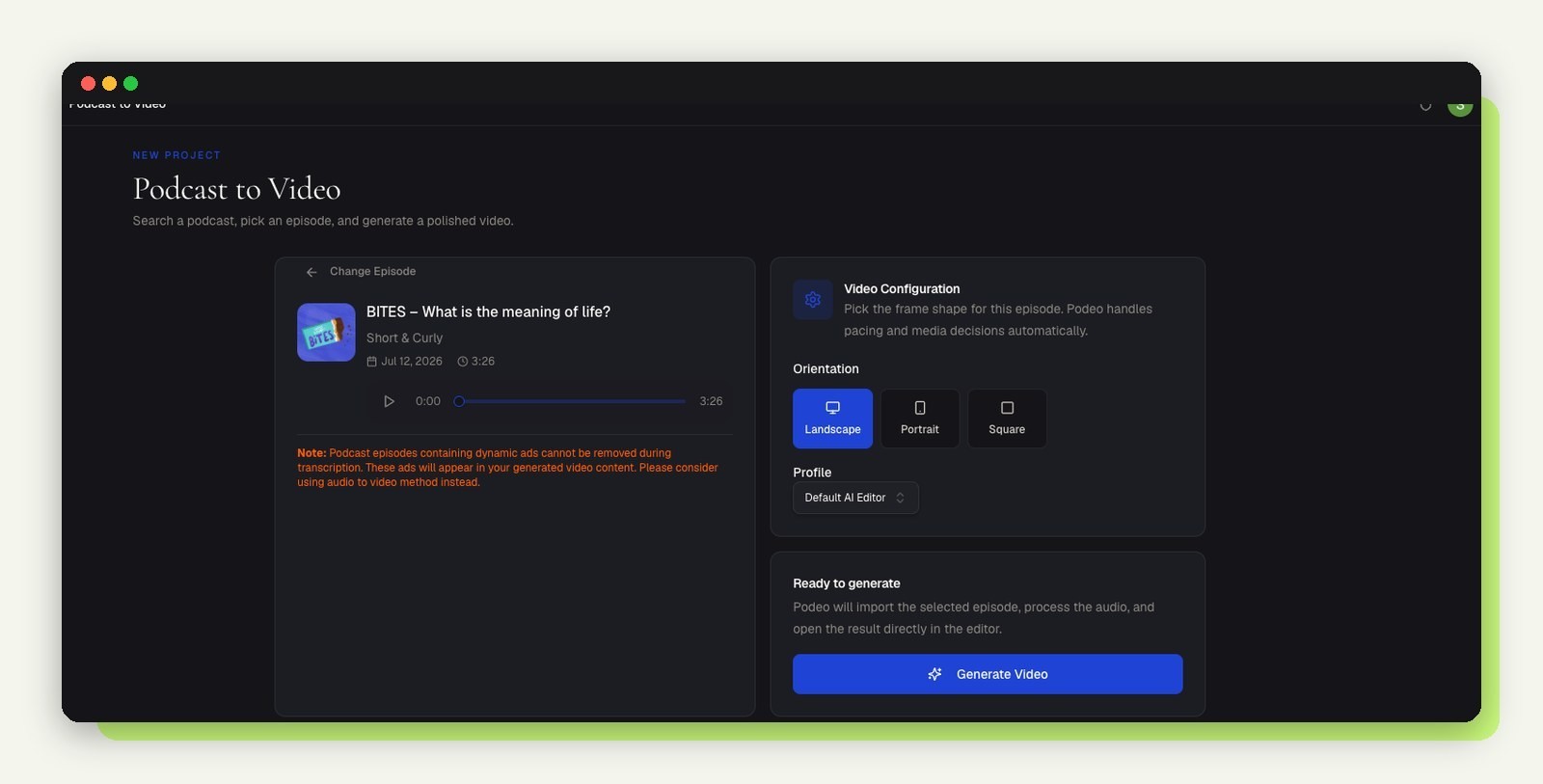
Search for your show or paste the RSS feed, choose the episode, and pick landscape for YouTube. Podeo.ai handles the pacing and visuals from there.
Step 2: Get a finished, captioned video

Podeo Director writes a visual script from the episode and renders the full video: word-timed captions, b-roll that matches what is being said, and your brand visuals. Change anything on the timeline, or type the change into the chat and let Podeo Copilot make it.
Step 3: Publish with discovery built in
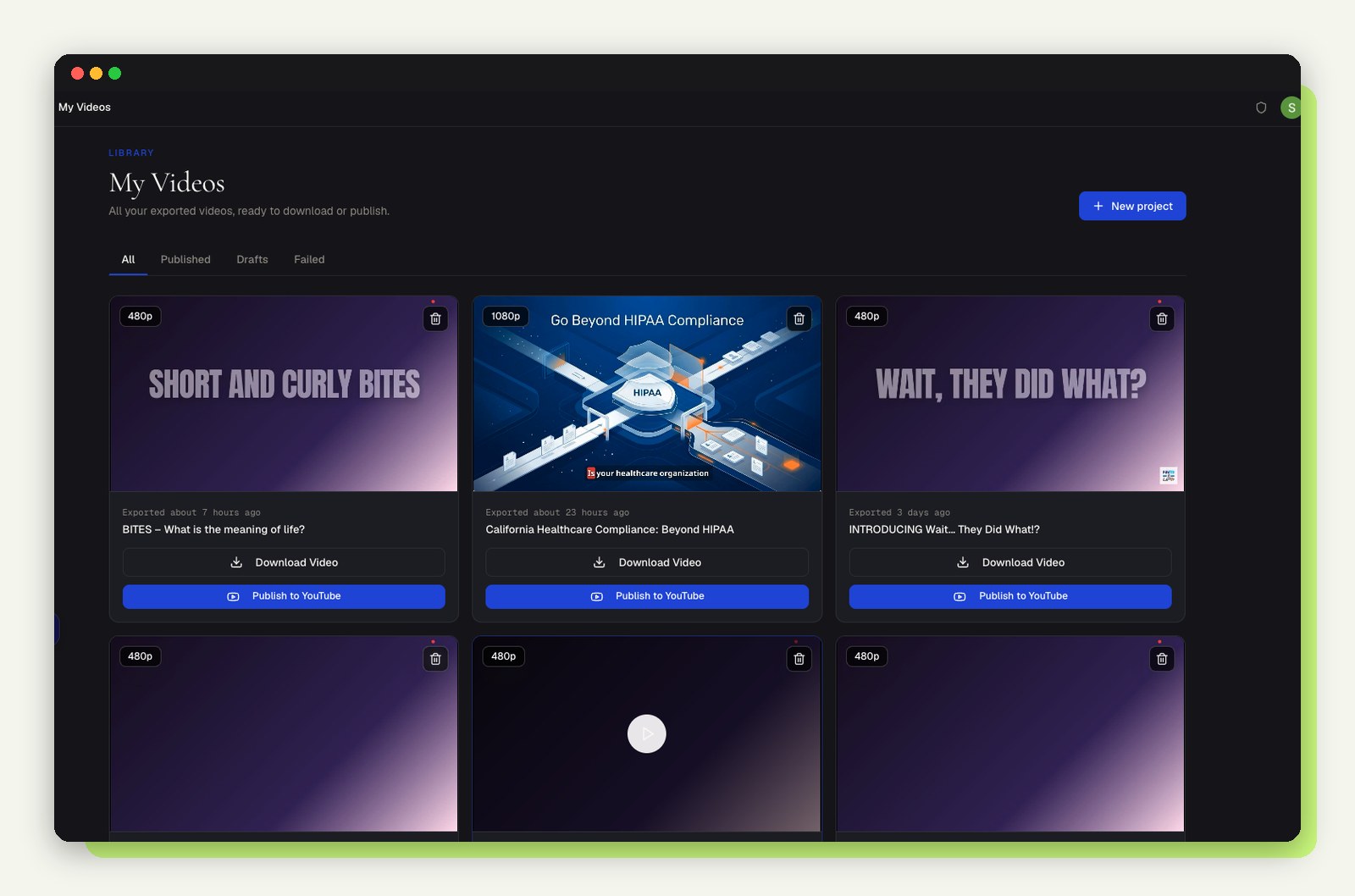
Each video comes with an AI title, description, chapters and a thumbnail, and can go straight to your YouTube channel. Four episodes a month means four new long videos working for you in search.
Part 2: Turn every blog post into short videos
Step 1: Feed in the post
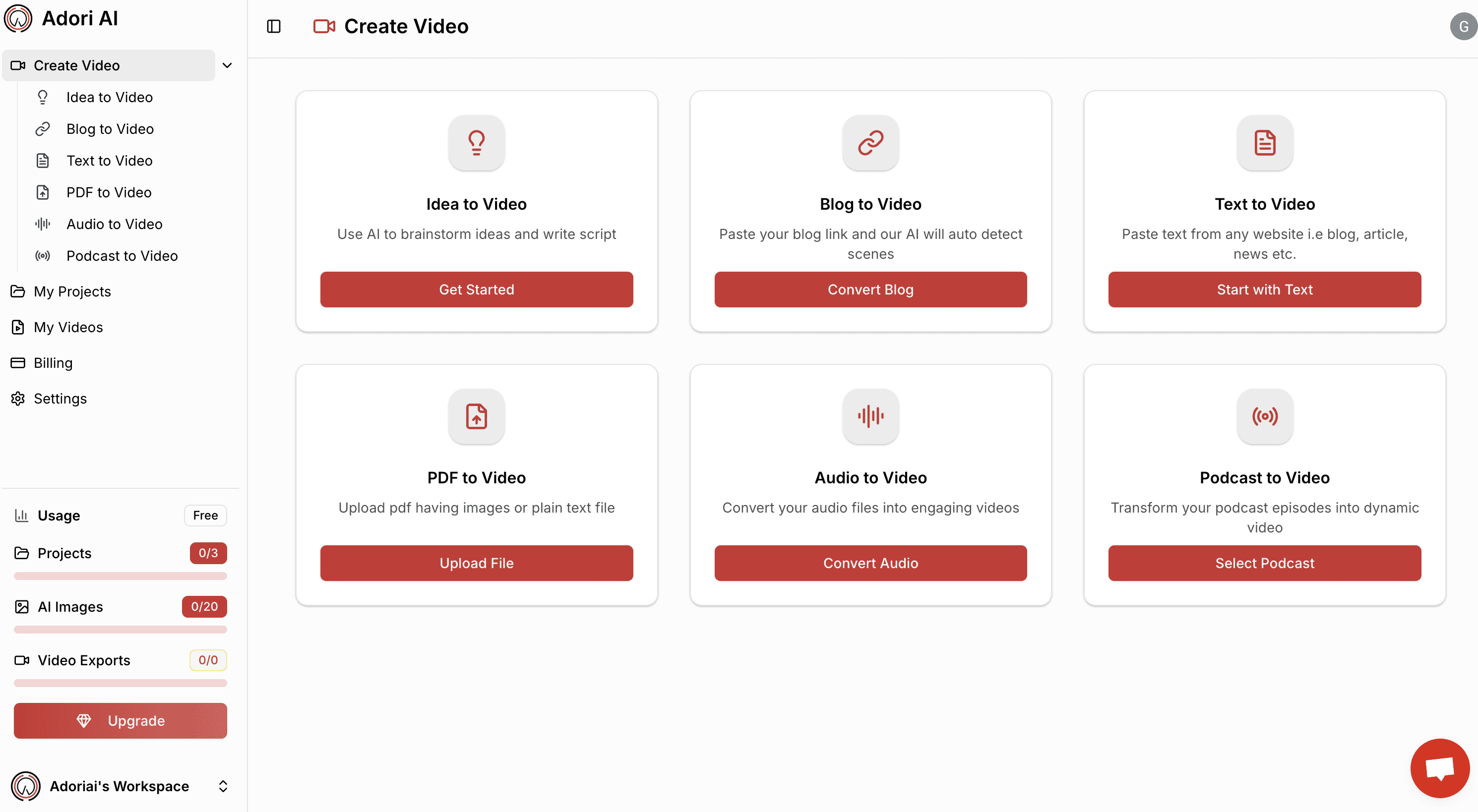
Paste the article link or drop in the text. A blog to video AI tool reads the post the same way a reader skims it. It also works for reports and eBooks with PDF to video.
Step 2: Let AI find the highlights
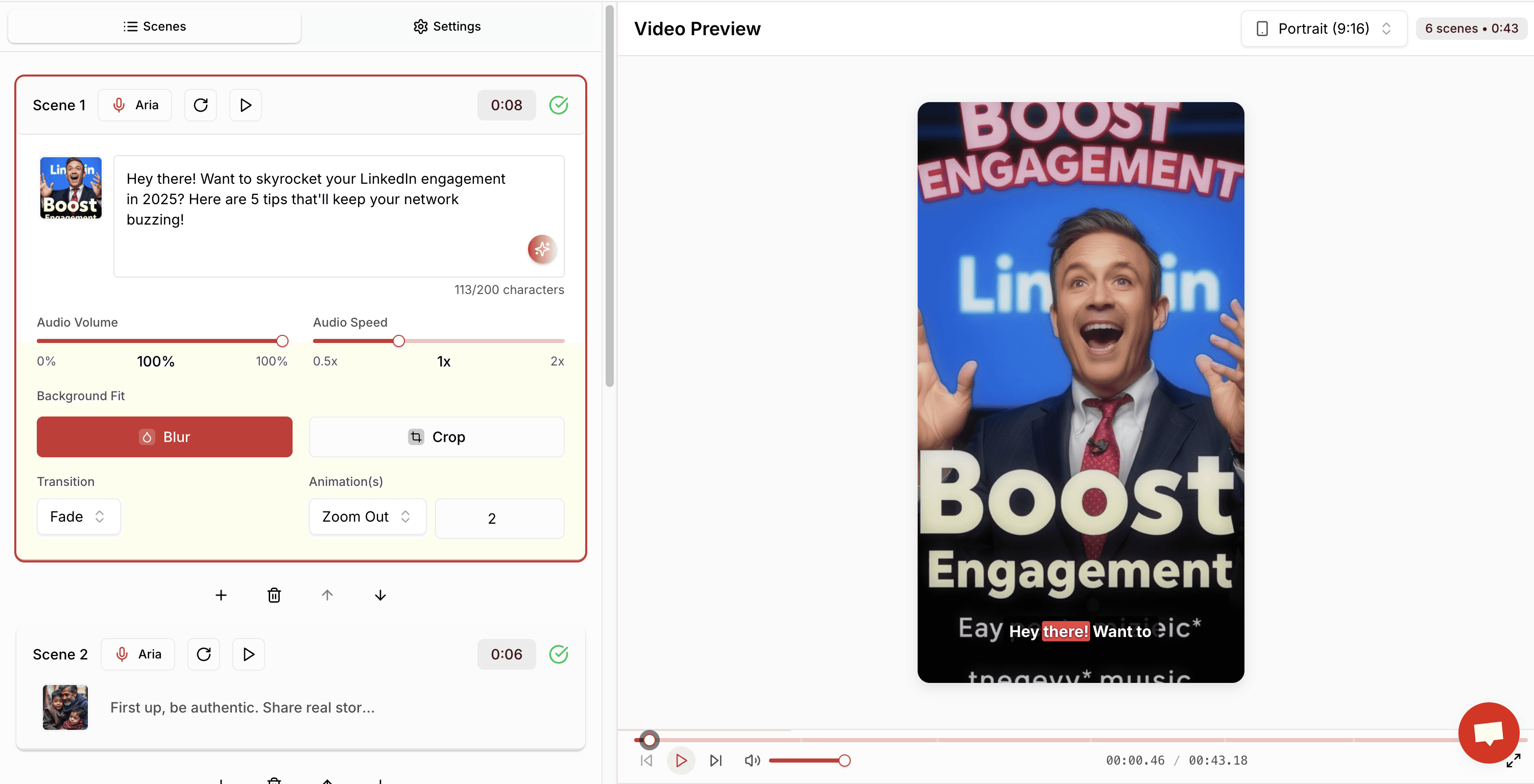
The AI pulls out the parts that work on video:
Strong hooks for the first three seconds
Skimmable takeaways and list items
Quotable lines
A clear call to action
Step 3: Generate videos in your brand style
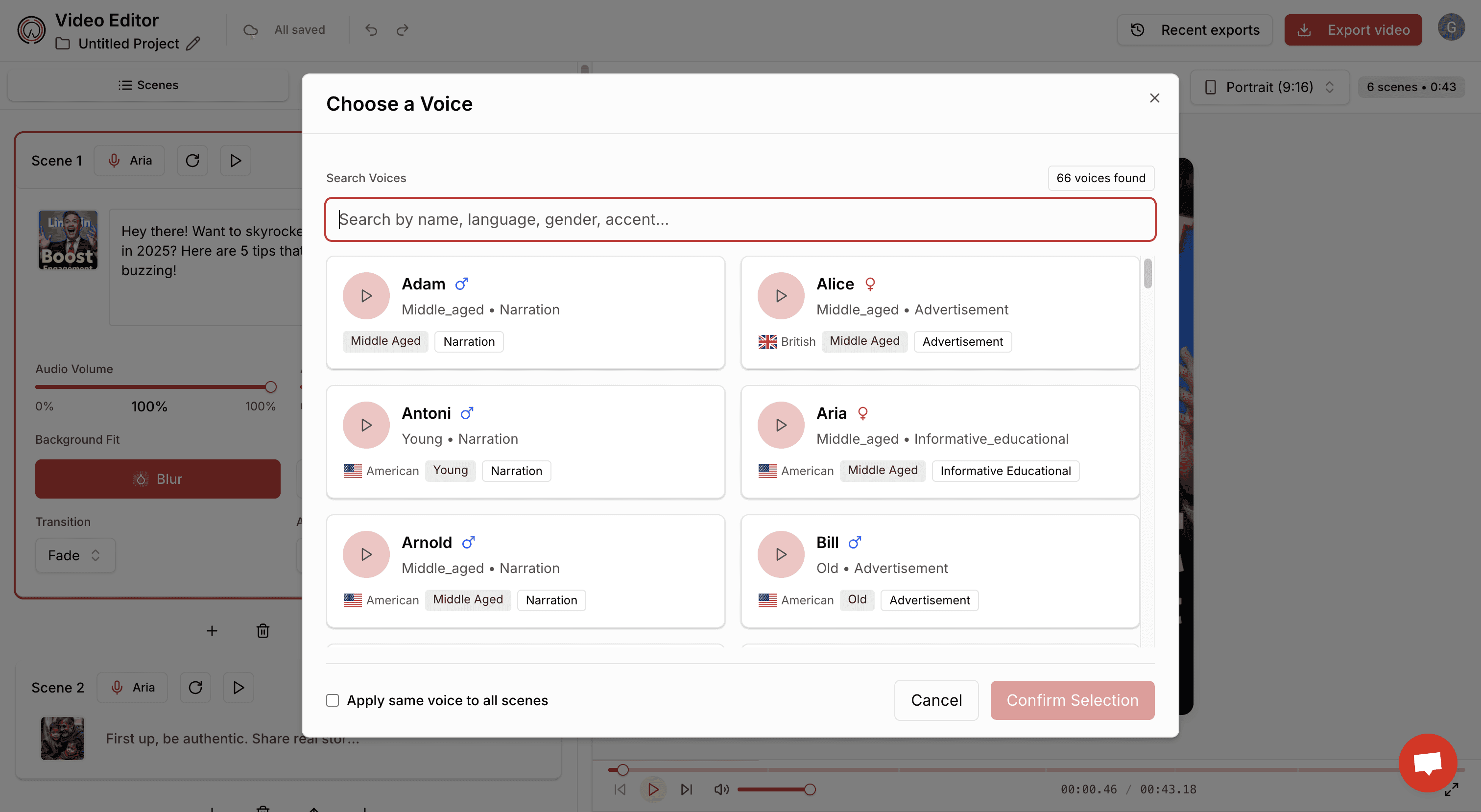
Each highlight becomes a short video with captions, text animation, stock visuals and your brand colours, fonts and logo.
Step 4: Export for every platform
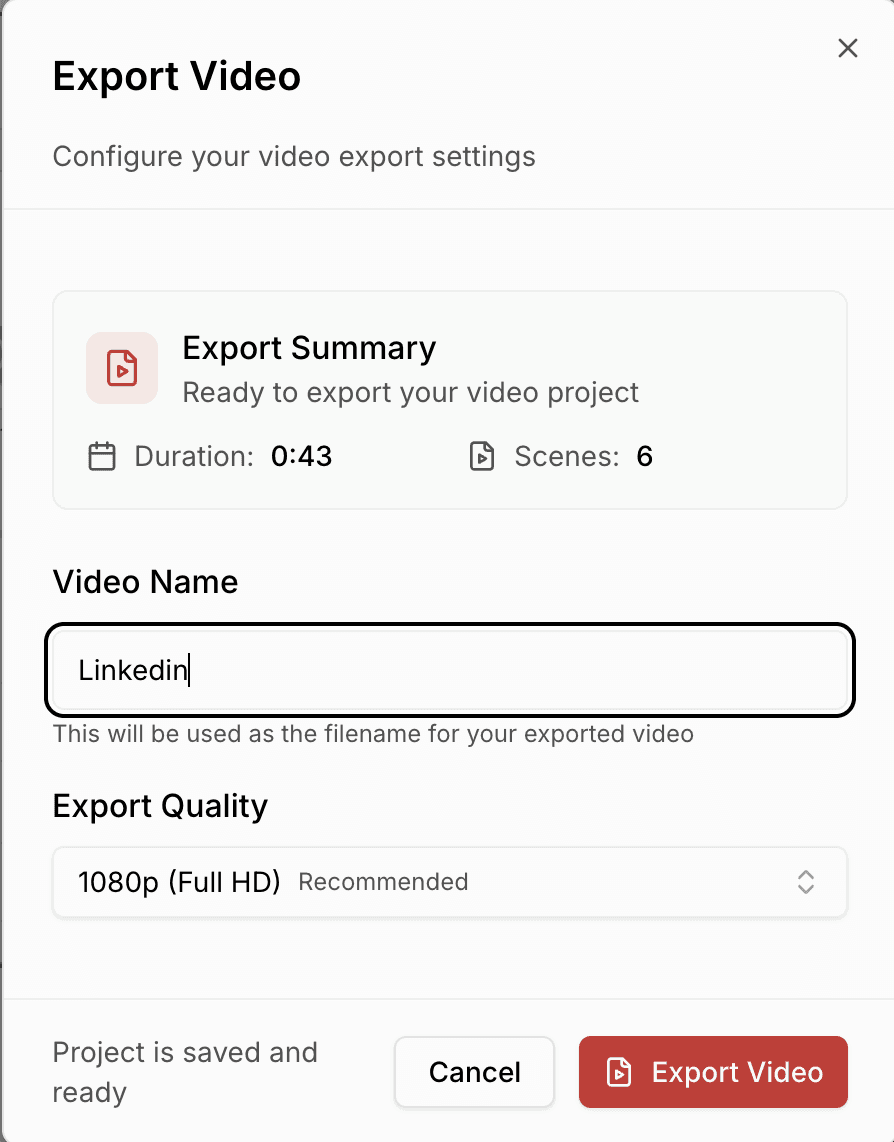
TikTok, Reels, Shorts: 9:16 vertical
LinkedIn: 1:1 square or 16:9 landscape
Pinterest: portrait
Email and landing pages: embedded video
Advanced strategies to multiply reach
🎯 Turn blog headlines into hooks.
"7 mistakes to avoid in email marketing" becomes a punchy 15 second video.
🎯 Listicles become a series.
Each subheading in your post is its own short video.
🎯 Chapters become search entry points.
Every chapter in your YouTube episode is a topic someone can land on from search.
🎯 Podcast to blog to video.
Write up each episode's key points as a blog post, then turn that post into short videos that point back to the full episode on YouTube.
🎯 Cross link everything.
Short videos tease the full episode, the episode description links to the blog, and the blog embeds the video.
Final thoughts: better distribution, not more content
You have already done the hard part: written the post and recorded the episode. The next step is not creating more. It is getting each piece in front of people who are looking for it.
Put every podcast episode on YouTube as a full video
Turn every blog post into a handful of short videos
Keep a steady video presence without burning out
Get more return from every post and episode
Start with your podcast
The quickest win is the episode you already published. Turn it into a YouTube video with Podeo.ai and let new listeners find you.
Join our newsletter list
Sign up to get the most recent blog articles in your email every week.
Similar Topic


