AI Video Clipper: The Easiest Way to Turn Your Long Videos into Viral Shorts
Tutorials & Tips
5 Min Read

Let's be honest about something.
You didn't get into creating videos because you love editing. You did it because you had something to say, something to teach, something to share. But somewhere between hitting record and actually growing your audience, editing became this massive wall that sits between you and consistency.
Here's the thing: that wall doesn't have to exist anymore.
AI video clippers have changed the game for solo creators. Upload your podcast episode, YouTube video, webinar, or interview recording, and the AI finds the best moments, cuts them into short clips, adds captions, keeps you in frame, and packages everything for TikTok, Reels, and Shorts. In minutes. Without you touching a timeline.
The problem is, the tools most creators reach for first (OpusClip and Vizard.ai) do a decent job, but they hit a ceiling fast. And that ceiling tends to show up at exactly the moment you're trying to grow.
This guide breaks down what AI video clipping actually looks like in practice, where OpusClip and Vizard fall short for solo creators, and why Adori AI is the tool a growing number of creators are switching to.
📊 Creators who repurpose long-form video into short clips see an average 3x increase in social reach per piece of content, without filming a single extra second. (HubSpot, 2024)
First: Why Short-Form Clips from Long Videos Actually Work
If you're a YouTuber or podcaster, you already have the raw material. The hard part, coming up with ideas, recording something worth watching, is done. The short-form clips are just a different cut of the same content.
And here's why that matters for growth:
• Short-form platforms (TikTok, Reels, Shorts) have massive discovery reach. A clip from your 40-minute video can reach someone who'd never find the full version.
• Clips drive people back to your main channel. A 45-second clip that ends on a hook ('…and I explain exactly how in the full video') is one of the most reliable ways to grow subscribers.
• Consistency is easier when you're repurposing. Posting daily feels impossible when every post requires filming. Not when you're turning one recording into 8–12 clips.
• Short clips extend the life of old content. That podcast episode from six months ago? Still full of clips worth posting. AI clippers let you mine your back catalogue without rewatching hours of footage.
OpusClip and Vizard.ai: Honest Takes From a Creator's Perspective
Both tools have big audiences and real use cases. But there are patterns in what creators complain about, and they're worth knowing before you commit.
OpusClip: Great Speed, Frustrating Surprises
OpusClip is fast. Upload a video, get clips back with virality scores in a few minutes. For creators who want a quick turnaround and don't mind sorting through results, it's a solid starting point.
But here's where it gets tricky for solo creators who are actually using it week to week:
• The virality score is a black box. You can't tell the AI what moments matter to your
audience. It decides, you react. And a lot of creators find the clips it 'knows' are good just… aren't, for their specific content.
• It cuts before the punchline. Reviewers on Reddit and Trustpilot consistently mention the AI ending clips a second or two too early, right before the payoff lands. Funny for the editor, not funny when it's your content.
• The credit system bites you at renewal. One minute of uploaded video = one credit, regardless of how many clips you keep. And when your subscription renews, unused credits disappear. Multiple creators have flagged this as an unpleasant surprise.
• The scheduler is unreliable. The dream is upload-and-forget automation. In practice, posts disconnect, accounts de-authorise, and a lot of creators end up downloading clips and posting manually anyway.
OpusClip Starter is $15/month. Pro is $29/month (or $174/year). For what you get, especially with the credit mechanics, it's not the bargain it looks like at first glance.
Vizard.ai: More Control, Higher Barrier
Vizard takes a different approach. Instead of fully automated clip detection, it works from a transcript, you can literally click on the words you want to clip, and the video follows. For interview and podcast content especially, this produces cleaner, more coherent clips than pure automation.
The trade-off is that it asks more of you upfront. The interface has a steeper learning curve, and several Capterra reviewers noted it's not immediately obvious to new users. The free plan is also limited in a frustrating way: it caps uploads at one hour, which is exactly where most long-form content starts.
Paid plans start at $14.50/month for individual creators. Like OpusClip, it's a clipping-only tool,
there's no voiceover engine, no built-in video creation from text, and no way to go from a blog post to a voiced clip inside the same platform.
💡 Both OpusClip and Vizard are great at one thing: taking a video you already have and producing clips. If that's all you need, they work. But if you want to also create content from scratch, add AI voiceovers, or build from written material, you're opening a second (and third) tool.
Side-by-Side: OpusClip vs Vizard.ai vs Adori AI
Feature | OpusClip | Vizard | Adori AI |
|---|---|---|---|
AI Clip Detection | ✅ Fast, auto | ✅ Transcript-based | ✅ context aware AI |
Auto Captions | ✅ Styled | ✅ Multi-language | ✅ Synced + editable |
Speaker Tracking | ✅ Yes | ✅ Yes | ✅ Yes |
40+ AI Voiceovers | ❌ No | ❌ No | ✅ Built-in |
Blog/Text → Video | ❌ No | ❌ No | ✅ Core- feature |
100M Media Library | ✅ AI B-Roll (Pro) | ❌ Limited | ✅ All plans |
Free to Start | ✅ Watermarked | ✅ 60 min/month | ✅ Yes |
Pricing from | 15/month | $14.15/month | $5/month |
Per-minute credits | Yes, credits expire on renew | Yes, credits expire on renewal | simple plan pricing |
Full Video Creation | ❌ Clipping only | ❌ Clipping only | ✅ End-to-end |
What Adori AI Does, And Why It's Built for Solo Creators
Adori AI started as a tool for turning written content into video. Blog posts, PDFs, and scripts. You paste it in, and the platform builds a narrated, captioned, visually rich video. That's still a core feature.
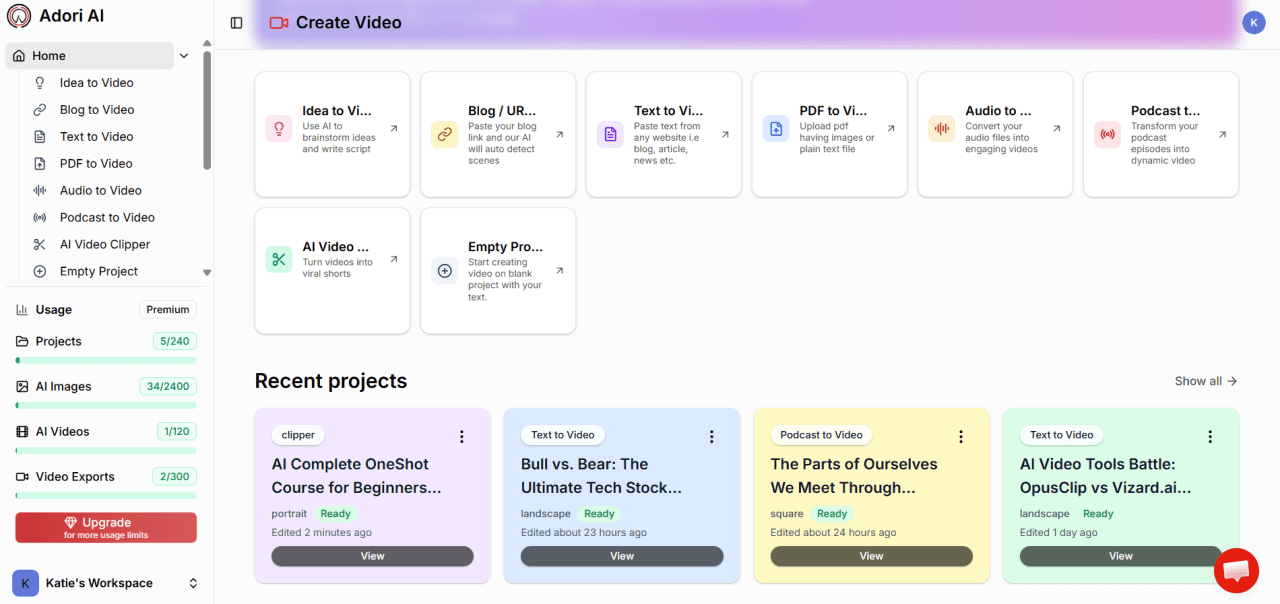
But the platform has grown into a complete video content workflow, which means the AI video clipper isn't bolted on. It's part of a system that takes you from raw content to published clip without needing to open anything else.
Here's what that looks like in practice for a solo creator:
The Clip Engine Finds the Good Stuff
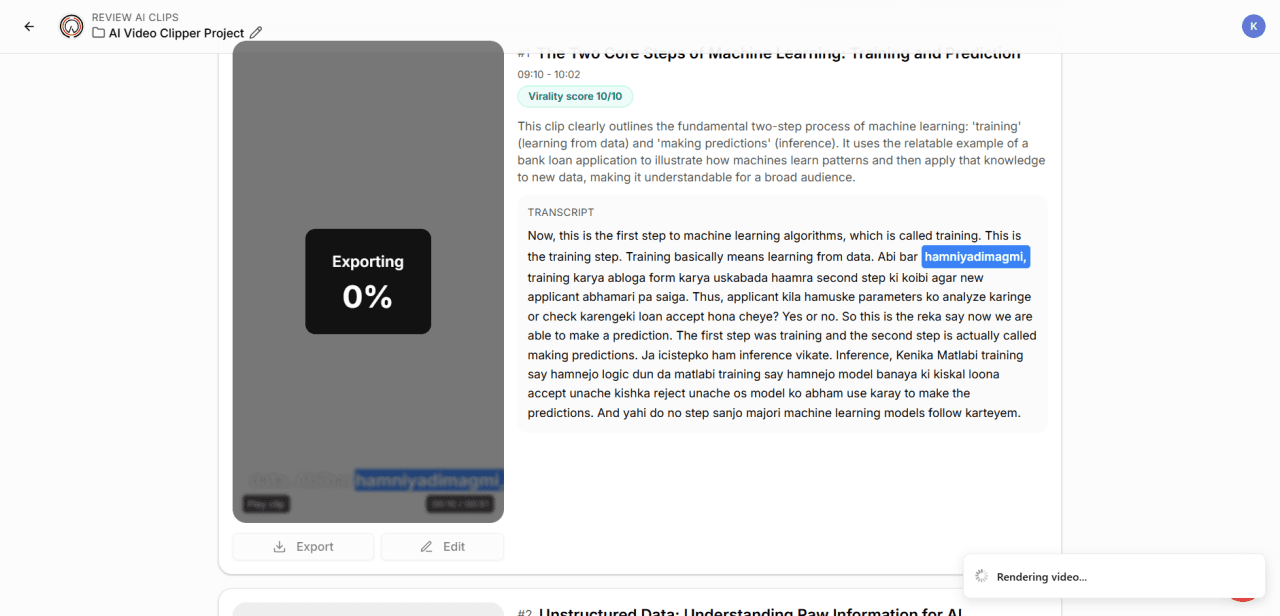
Upload your recording, podcast, YouTube video, interview, or webinar, and Adori AI's AI analyses the content for natural high points. Not just audio energy spikes, but complete, coherent moments: a strong argument, a surprising stat, a funny aside, a memorable line. The result is clips that actually make sense as standalone content, not fragments that leave your audience wondering what happened before and after.
Auto-Captions Are Just... There
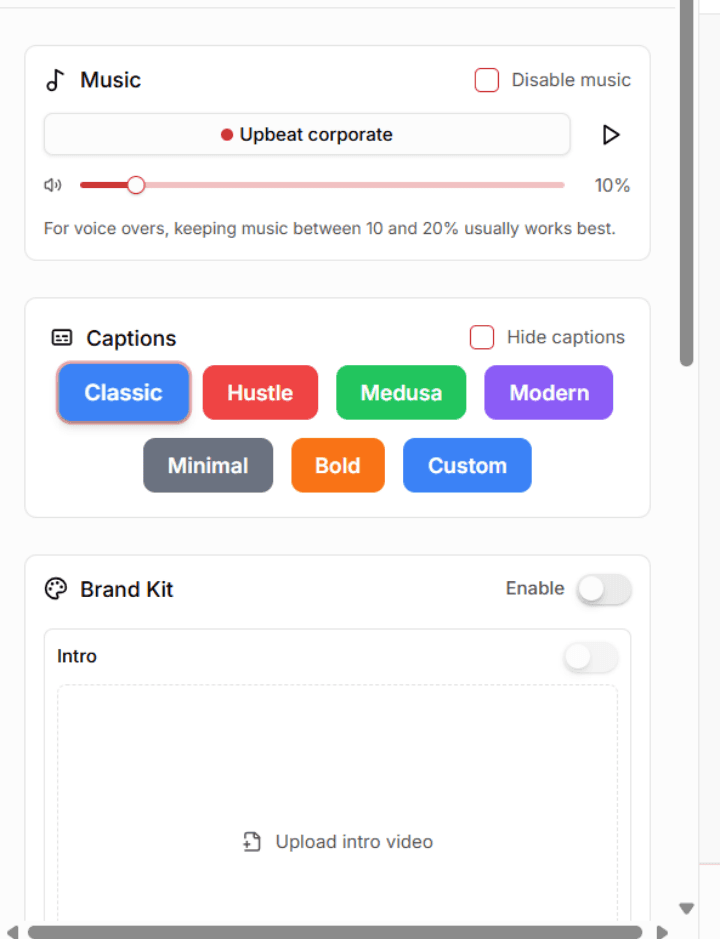
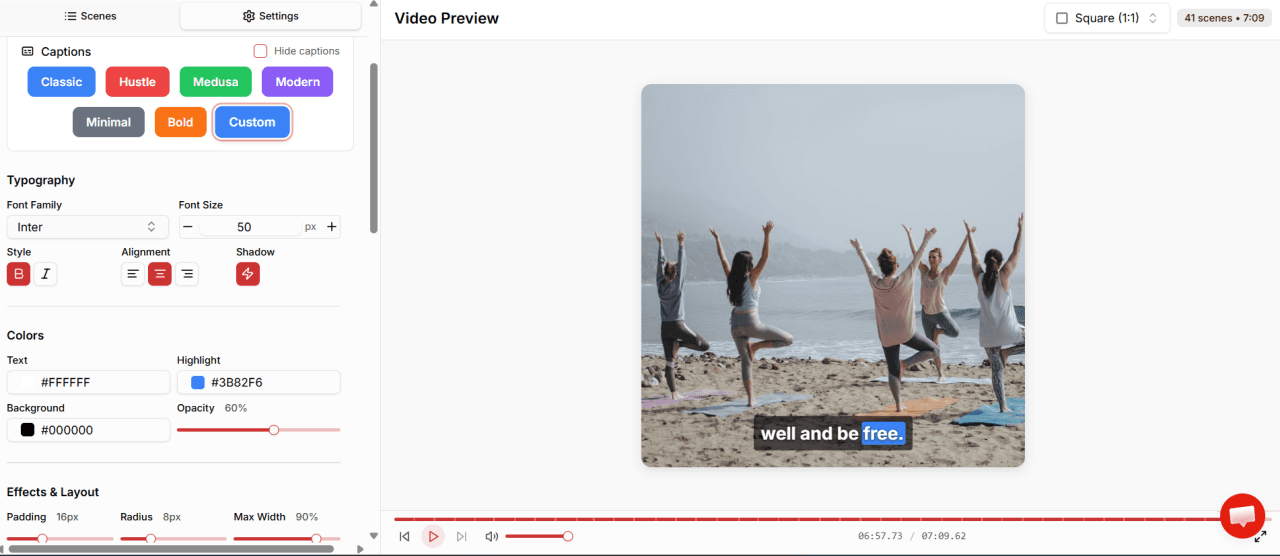
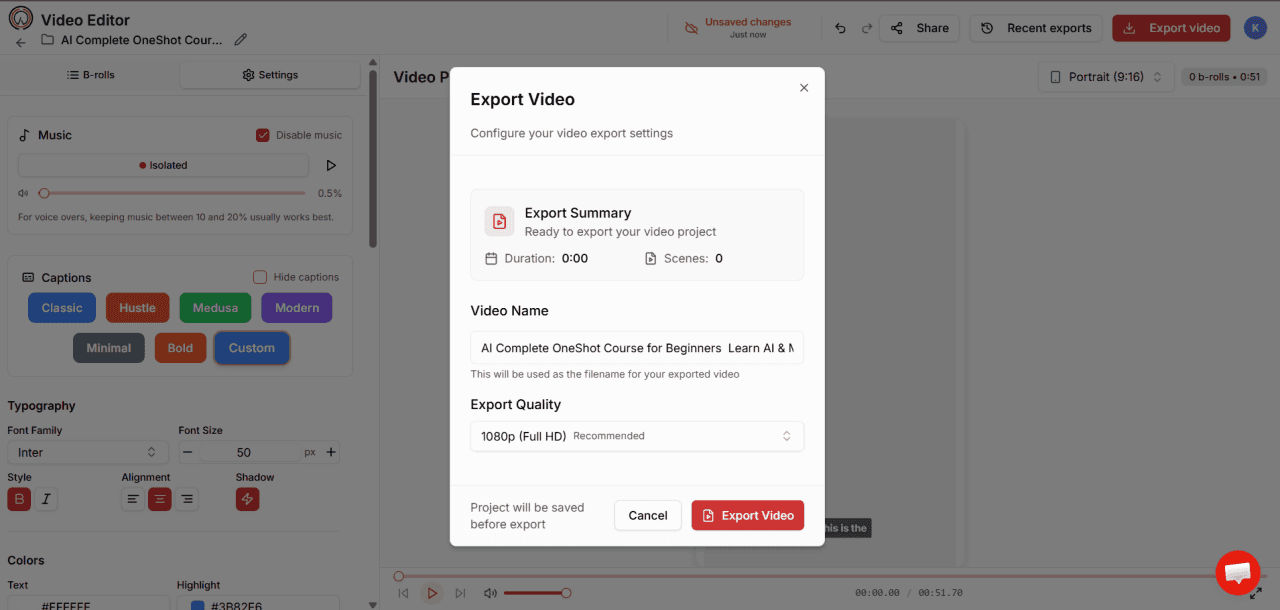
Every clip gets synced captions automatically. No separate tool, no uploading to Rev, no timing the text yourself. The captions show up in the live editor, where you can adjust the font, colour, and placement to match your style, then export.
Why does this matter? Because 80% of social video is watched with the sound off.Captions aren't an accessibility nice-to-have. They're the difference between a clip that getswatched and a clip that gets scrolled.
Speaker Tracking That Follows the Conversation
If you do interviews, panels, or co-hosted content, you know the nightmare of clips where the camera is stuck on the wrong person. Adori AI's speaker tracking automatically keeps the active speaker centred as the conversation moves, so your clips look deliberately produced even when they're auto-generated.
Vertical Reframing in One Click
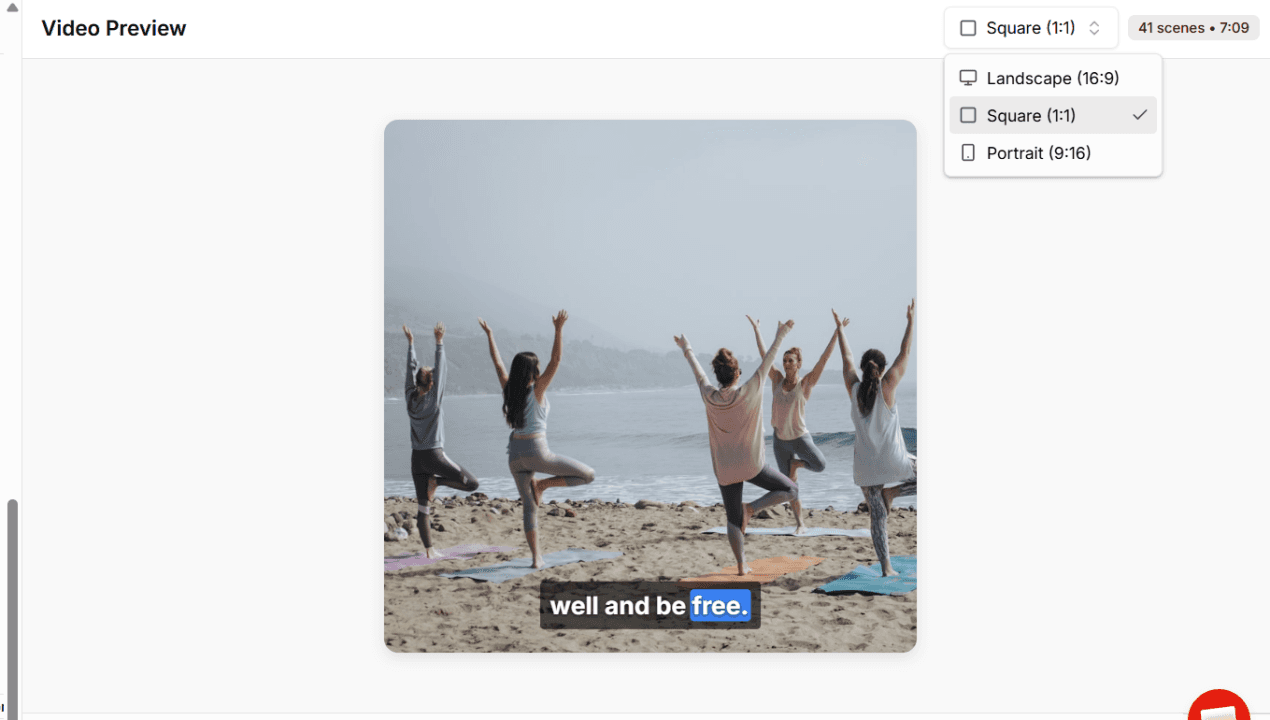
One source video, every format. Adori AI automatically converts your widescreen footage to 9:16 for TikTok and Reels, 16:9 for YouTube and LinkedIn, and 1:1 for feed posts. You don't resize anything. You just choose the platform.
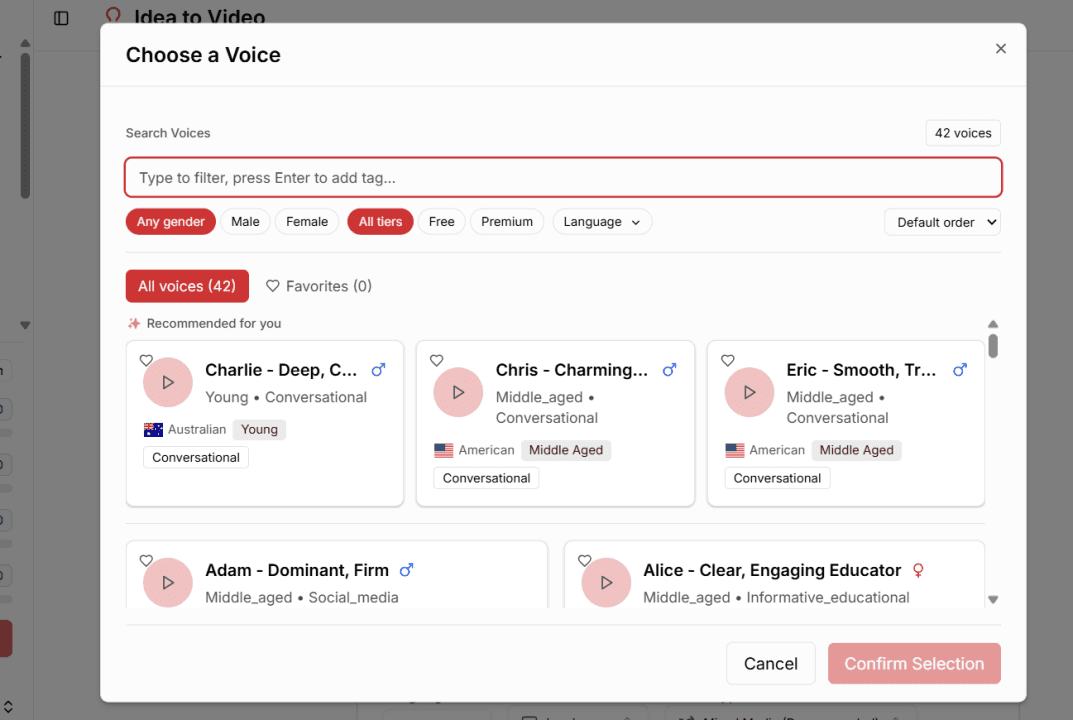
40+ AI Voices: Something No Other Clipper Offers
This is the one that surprises most creators when they discover it.
OpusClip and Vizard can only work with audio you've already recorded. Adori AI lets you add or replace narration using 40+ lifelike AI voices across languages, accents, and age ranges.
What does that mean for a solo creator?
• You can turn a blog post into a voiced, captioned short-form clip without recording
anything
• You can add a narrated intro or outro to a clip without re-recording
• You can create localised versions of your content in Spanish, Hindi, French, or Portuguese without hiring a translator or voice actor
For creators building an international audience, or anyone who just doesn't love the sound of their own voice on camera, this is a genuine unlock.
100 Million Assets, Matched to Your Content
Adori AI's media library has over 100 million copyright-free photos, video clips, and music tracks. The AI contextually matches visuals to what you're saying, so a clip about productivity pulls relevant footage, not stock photos of people in suits shaking hands.
For clips that need a visual layer beyond your talking head, this handles it automatically. No Shutterstock subscription. No manual searching.
A Live Editor That Actually Moves Fast
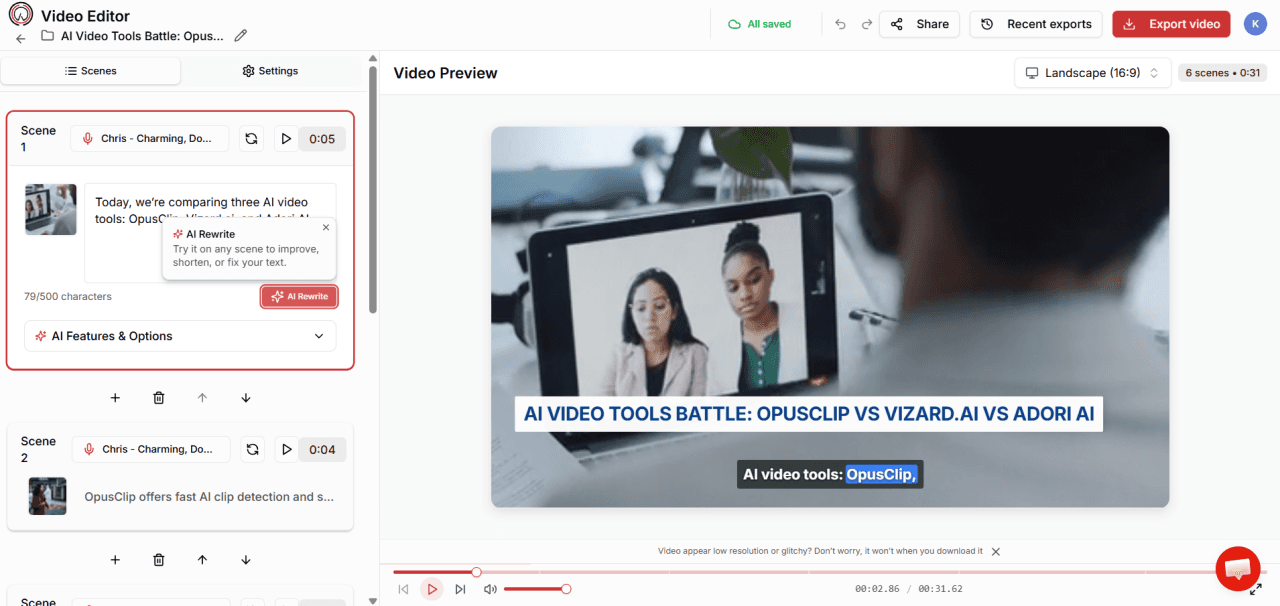
Changes in Adori AI's editor preview in real time. No waiting for re-renders every time you swap a visual or tweak a caption. For a solo creator producing 8–12 clips per week, that saved render time adds up to hours every month.
Publish to YouTube Without Leaving
When you're done, you can push directly to YouTube without leaving Adori AI. For creators whose short-form clips link back to their main channel, this is one less step in an already long workflow.
Real Ways Solo Creators Are Using Adori AI's Video Clipper
The Podcaster Who Posts Daily Without Daily Recording
You record one 45-minute episode per week. Adori AI turns that into 10 clips, each with captions, vertical format, and contextually matched visuals. You review, pick the eight you like, schedule them across the week. Done. No extra recording. No editor to brief. No waiting.
The YouTuber Building a Shorts Channel from Long Videos
You upload a 30-minute tutorial. Adori AI identifies the 6–8 most self-contained moments, the tips that land without needing the full context of the video. Each one becomes a Short with a hook caption and a call-back to the full video. Your Shorts channel starts growing while you keep making the long-form content you actually enjoy making.
The Creator Sitting on a Back Catalogue
You have 80 podcast episodes. 150 YouTube videos. Content you made years ago that's still relevant, but nobody's finding it because the algorithm has moved on. Adori AI lets you mine that archive without rewatching everything. Upload the old content, get clips, post them. Your old work starts working again.
The Creator Who Hates Their Voice on Camera
Not everyone wants their face and voice on every piece of content. With Adori AI's voiceover engine, you can create entirely AI-narrated clips from your written content, blog posts, scripts, newsletters, using a voice that sounds natural and on-brand. No camera. No mic setup. Just text in, video out.
How to Go from Long Video to Published Clip in Under 30 Minutes
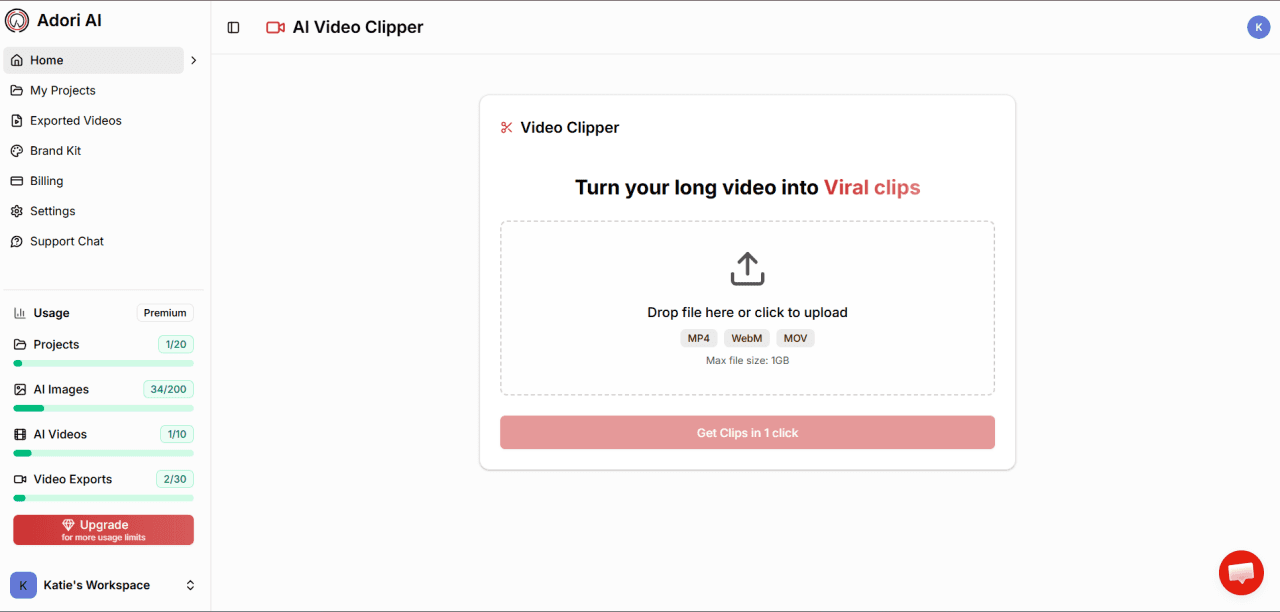
Step 1: Drop in Your Content
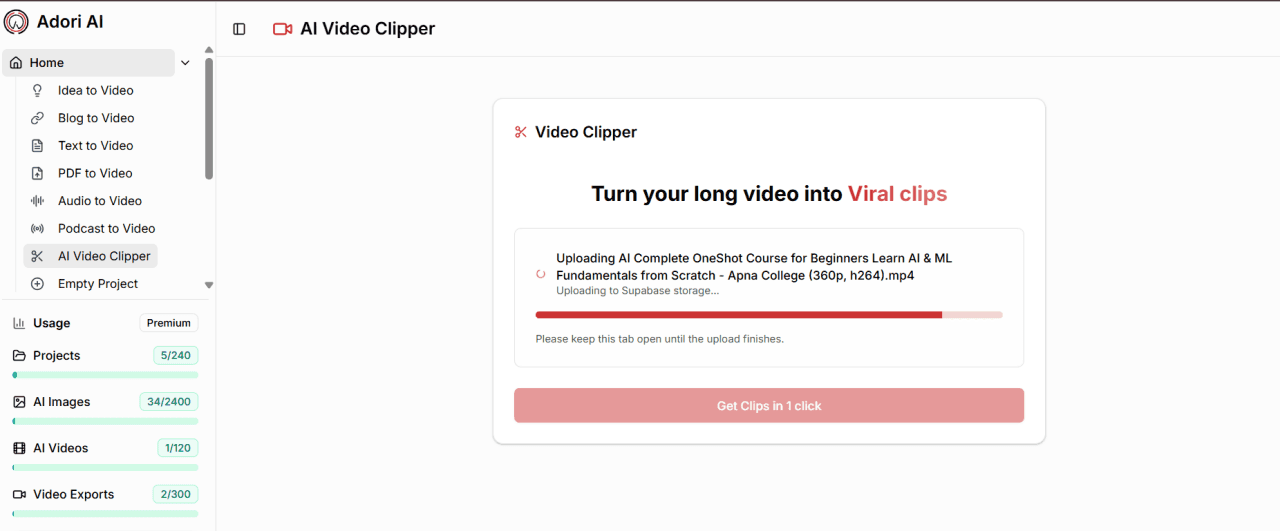
Upload a video file, paste a YouTube URL, or connect an audio file. Adori AI accepts the full range, MP4, podcast audio, recorded webinars, even transcripts if you have them.
Step 2: Let the AI Do the Work
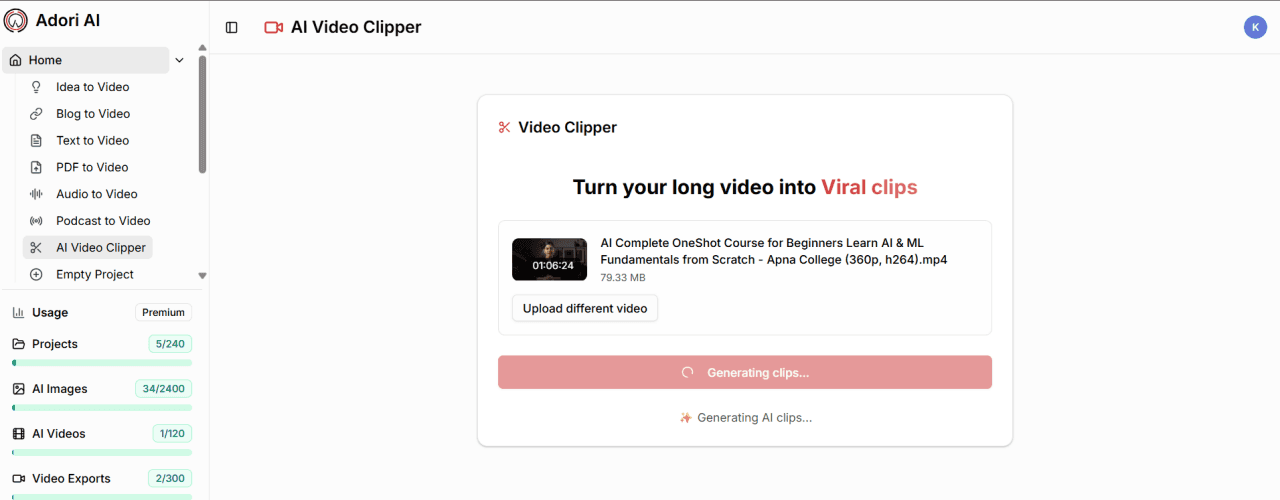
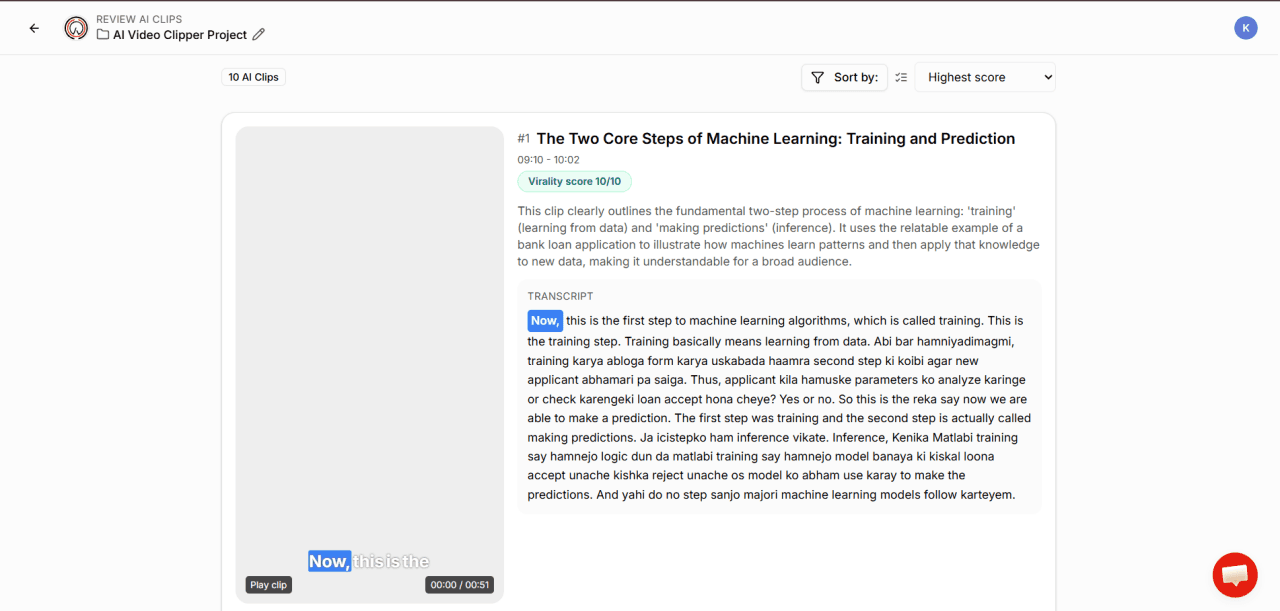
The AI breaks your content into scenes and highlights the strongest clip candidates. You see the transcript segment, a preview, and the suggested clip length. Browse the options and pick the ones that feel right for your audience.
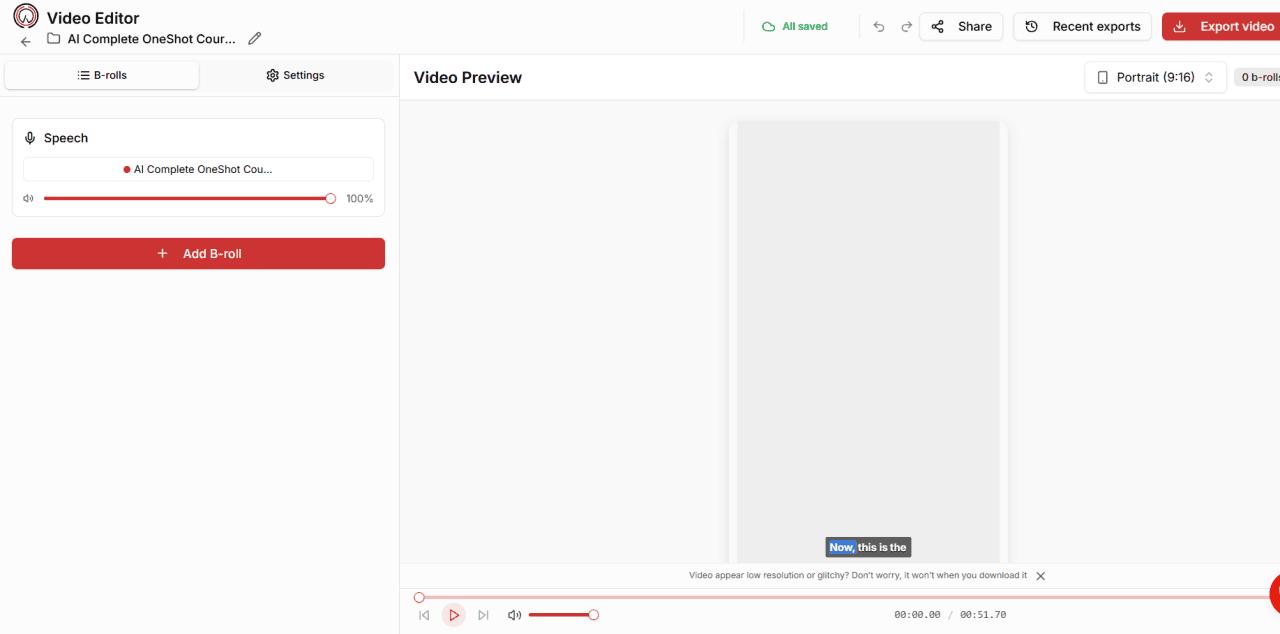
Step 3: Tweak in the Live Editor
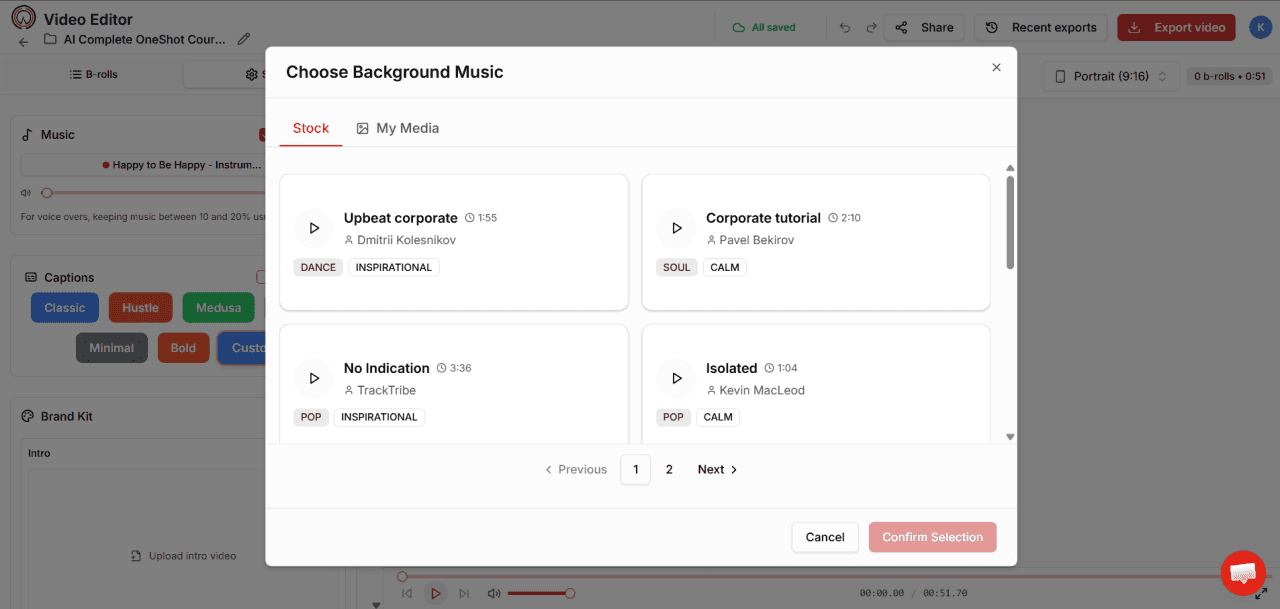
Jump into the editor and adjust captions, swap in different visuals from the media library, trim the start or end, adjust music volume. Everything updates in real time, no waiting.
Step 4: Add a Voice If You Need One
If you want to add a narrated intro, a call to action, or replace the original audio with an AI voice, this is where you do it. Choose from 40+ voices, preview, and apply. The audio syncs automatically.
Step 5: Export in Every Format at Once
Select 9:16 for TikTok and Reels, 16:9 for YouTube and LinkedIn, or both simultaneously. Publish directly to YouTube or download the files. One batch of clips, every platform, no extra steps.
The Honest Reason Creators Switch from OpusClip to Adori AI
It usually isn't one big thing. It's the accumulation of small frustrations.
It's the clip that cuts off right before the punchline. The credits that reset before you got to use them. The scheduler that worked three weeks in a row and then randomly stopped posting. The moment you realise you still need a second tool for voiceovers and a third for creating content from scratch. Adori AI doesn't have a virality score that mysteriously ranks your best clips at the bottom. It doesn't charge per minute of uploaded video. It doesn't run out of credits on you mid-month.
What it does have: a complete workflow, a media library that would cost you hundreds per month to replicate with stock subscriptions, an AI voiceover engine that no dedicated clipper offers, and pricing that starts at $5/month, significantly less than either OpusClip or Vizard's entry plans.
And if it’s not for you, you’ve lost nothing but the time it took to find out.
🎯 Adori AI is free to start, no per-minute credit system, no clips that expire. Just upload your content and see what comes out. Plans from $5/month when you’re ready to scale.
Your Content Library Is Already Full of Clips. You Just Haven't Made Them Yet.
Every long video you've published is sitting there with 8, 10, maybe 15 clips inside it. Moments that would stop the scroll. Lines that would make someone save and share. Context that would make a new viewer curious enough to find the full version.
Adori AI finds those moments. Packages them. Gets them ready to post. You just have to hit publish.
Try Adori AI's Video Clipper Free at app.adoriai.com
Join our newsletter list
Sign up to get the most recent blog articles in your email every week.
Similar Topic