Video style
Best for
A prompt that works
What the 3D Explainer style looks like
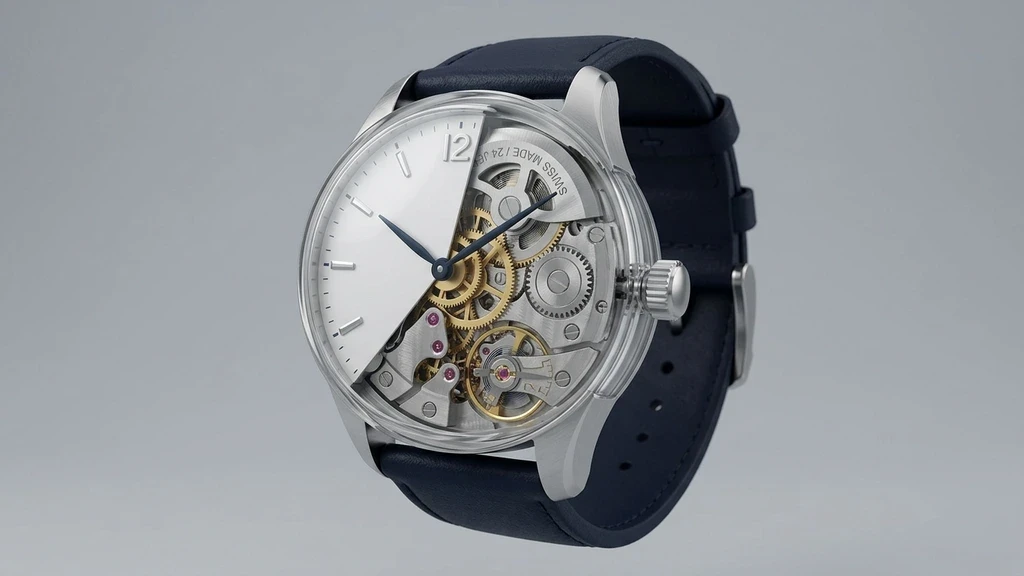
A clean educational 3D render on a plain soft grey studio background, precise realistic materials and semi-transparent cutaway sections that reveal the inner parts.
Every scene in the video is made in this one look, so the video holds together instead of changing medium halfway through. A slow, steady orbit around the object while its inner parts turn or ease slightly apart to show how it works.
What this style is good for
Hardware products, medical devices, engineering, how-it-works content and technical sales.
How to make a 3D Explainer video
Paste a script, a blog link, a PDF or just an idea. Pick AI Generated Images as the media type and choose this style. Adori writes the scenes, generates every picture in the same look, speaks the narration and hands you an editable timeline. Change any scene you want, then export.
The same characters, scene after scene
If your script has recurring people, Adori draws a reference sheet for each one before it makes any scene, then uses that sheet in every picture. The same person stays the same person from the first shot to the last, which is the part most AI video tools still get wrong.
Frequently asked questions
Short answers on how this style works, what it costs and what you can start from.